Switching Infrastructure
MikroTik switches are well priced for the performance, functionality & flexibility they provide. The learning curve can be steep though. Why I chose these products and how I implemented them are topics I cover in this article.
Background
It started with my HP v1910 going EOL and updates stopped. Even though the v1910 had served me well I did not want to buy another one. The ever changing licensing and hoops I had to jump through to just download firmware updates had been a big pain.
MikroTik is a company that had been on my radar for years at that point. The company established '96 which is very old by IT standards. Design and software is done in Riga, Latvia. Production is done in Latvia, Lithuania & Asia depending on the product, which is important in times of tariffs and shortages. The licensing is simple and generous. Updates are readily available for anyone to download.
CRS310-8G+2S+IN
The CRS310-8G+2S+IN with 8 2.5Gb ports and two SFP+ 10Gb cages seemed to be a good idea. It's centered around the Marvell 98DX226S chip. CPU is 2 core 32-bit @ 800Mhz, 256 MB RAM, 32MB flash storage. You do not want to use it for much else than HW offloaded L2 switching. It took me quite some time to learn RouterOS. It is very different from anything else I had used earlier.
Fan Noise & Thermal Optimization
I'm happy with the performance of the switch. The problem was fan noise. I had a Noctua NF-A4x20 laying around so used it to replace the stock fan. The fan was quiet but the airflow was not enough. Don't remember the temperatures in retrospect. But instead of just putting a noisy fan in I decided to tackle the heat problem from several directions. First I got an intake fan to mount on the side of the switch. Got a NF-A4x10 since it fits between motherboard and beside the case. Made holes in the case for the fan and it's screws and mounted the fan with a filter. Modified the cables to avoid a cable mess. Added a filter on the intake too.
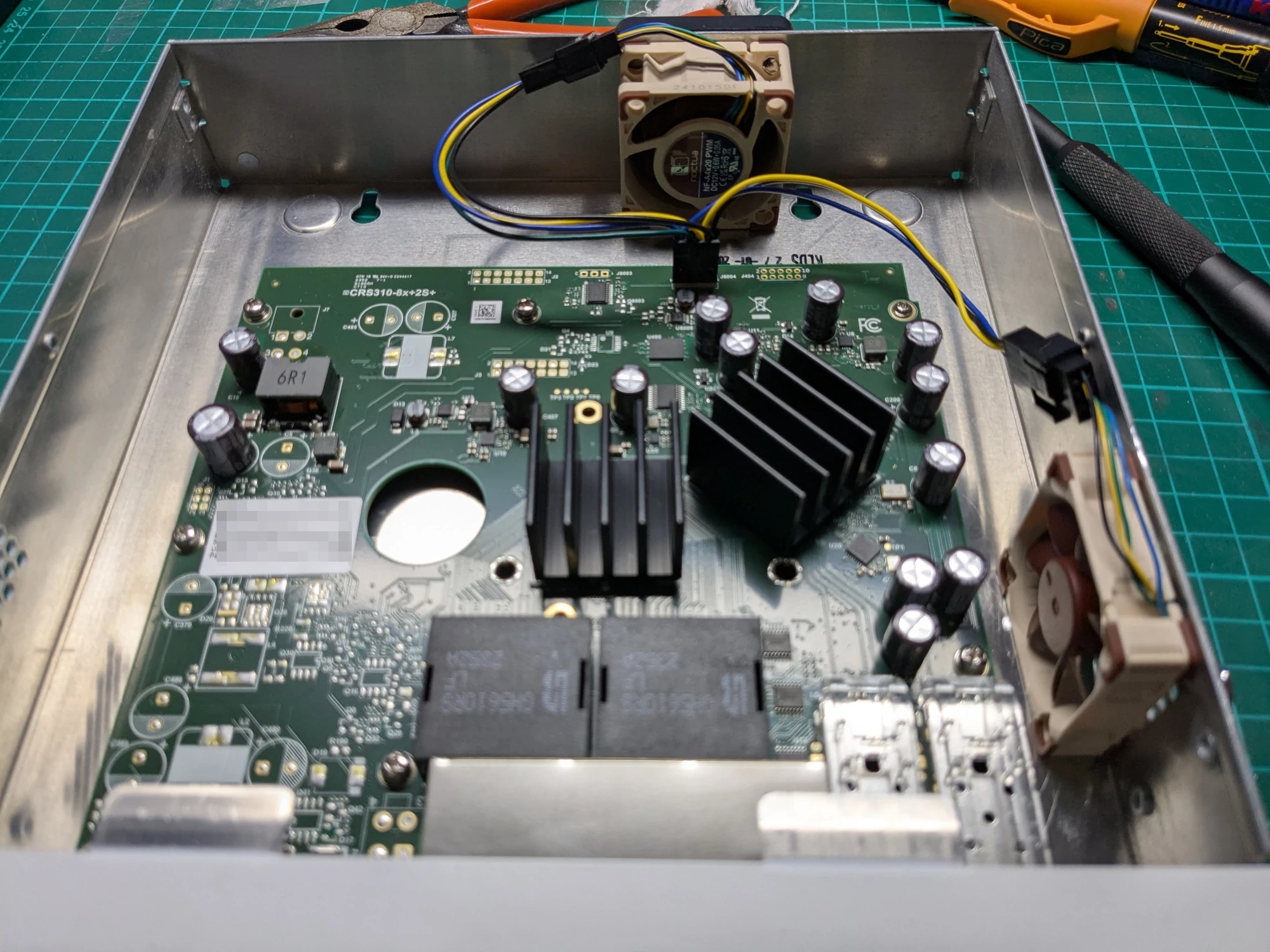
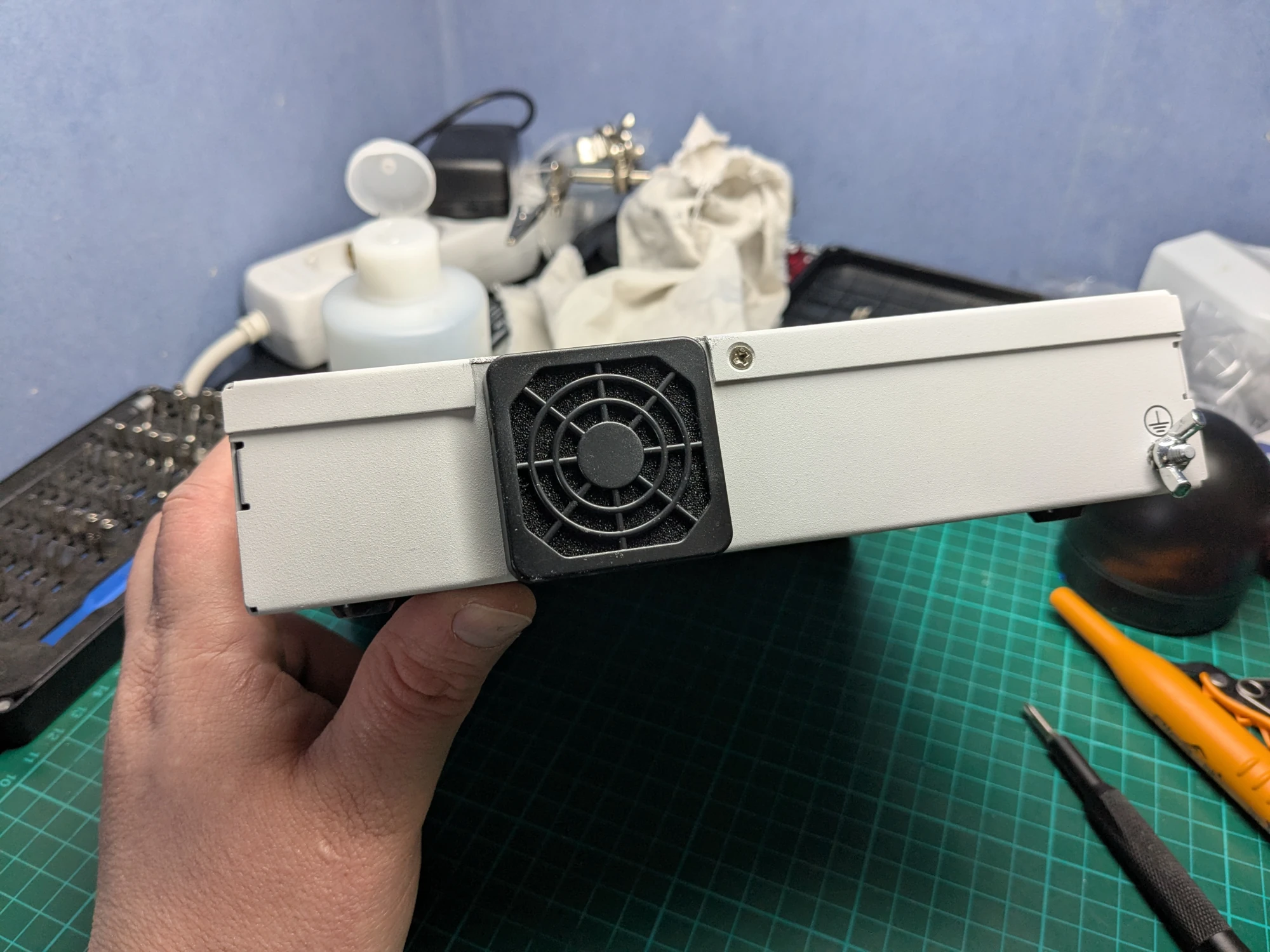
Replaced the thermal pads under the motherboard to better ones. Scraped and sanded the bottom of the case and added two copper heatsinks with thermal glue for better heat dissipation.
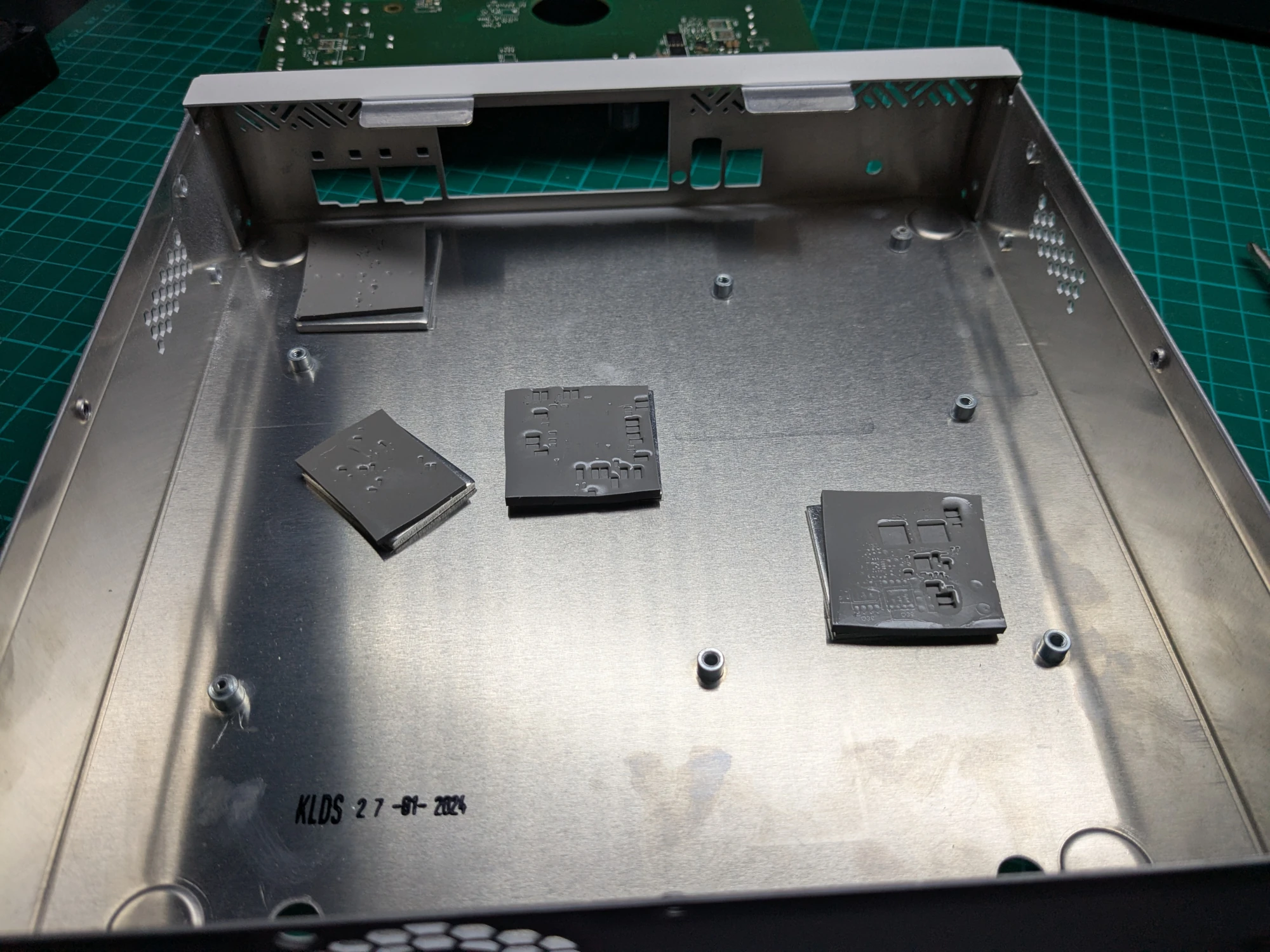
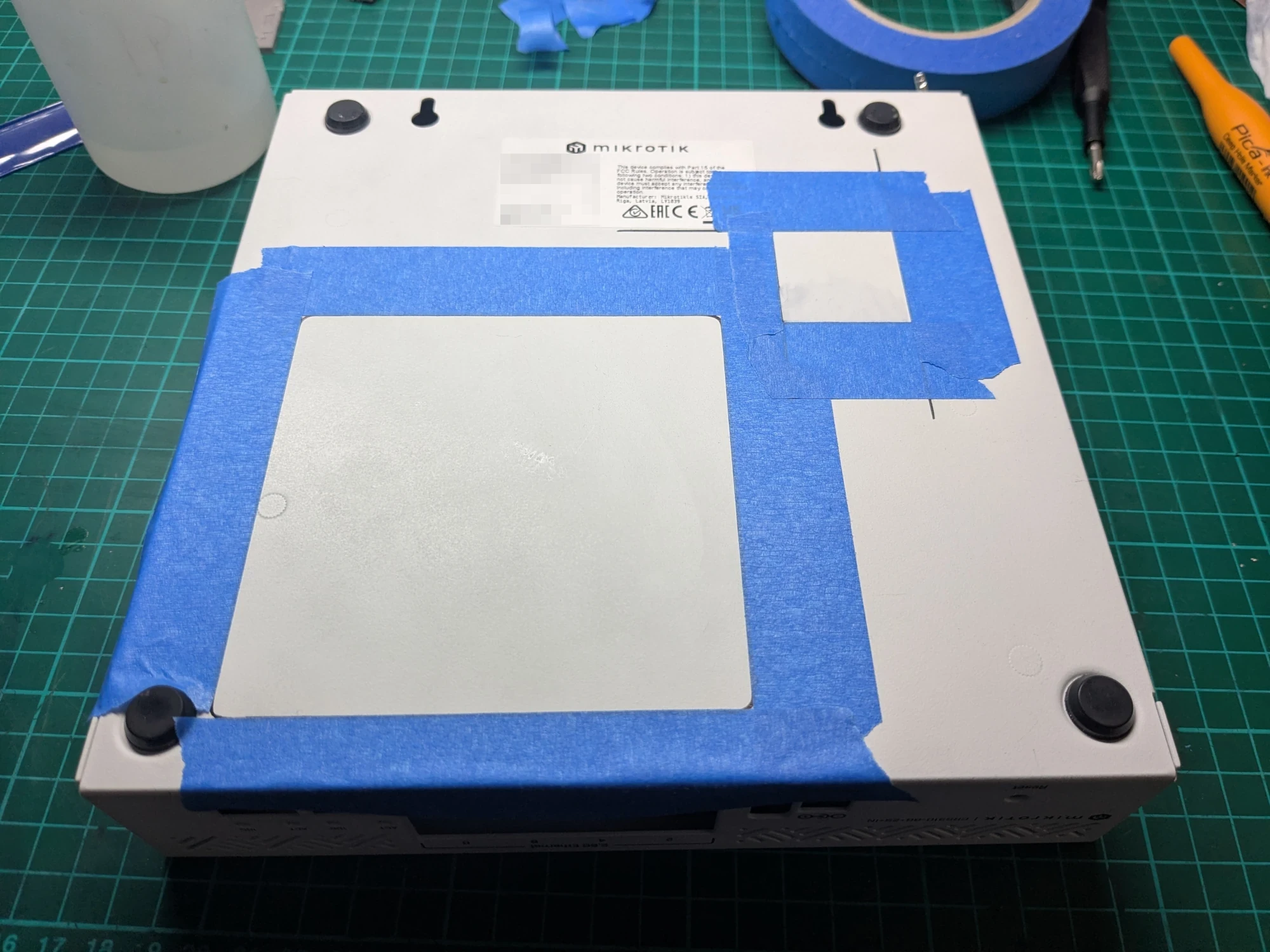
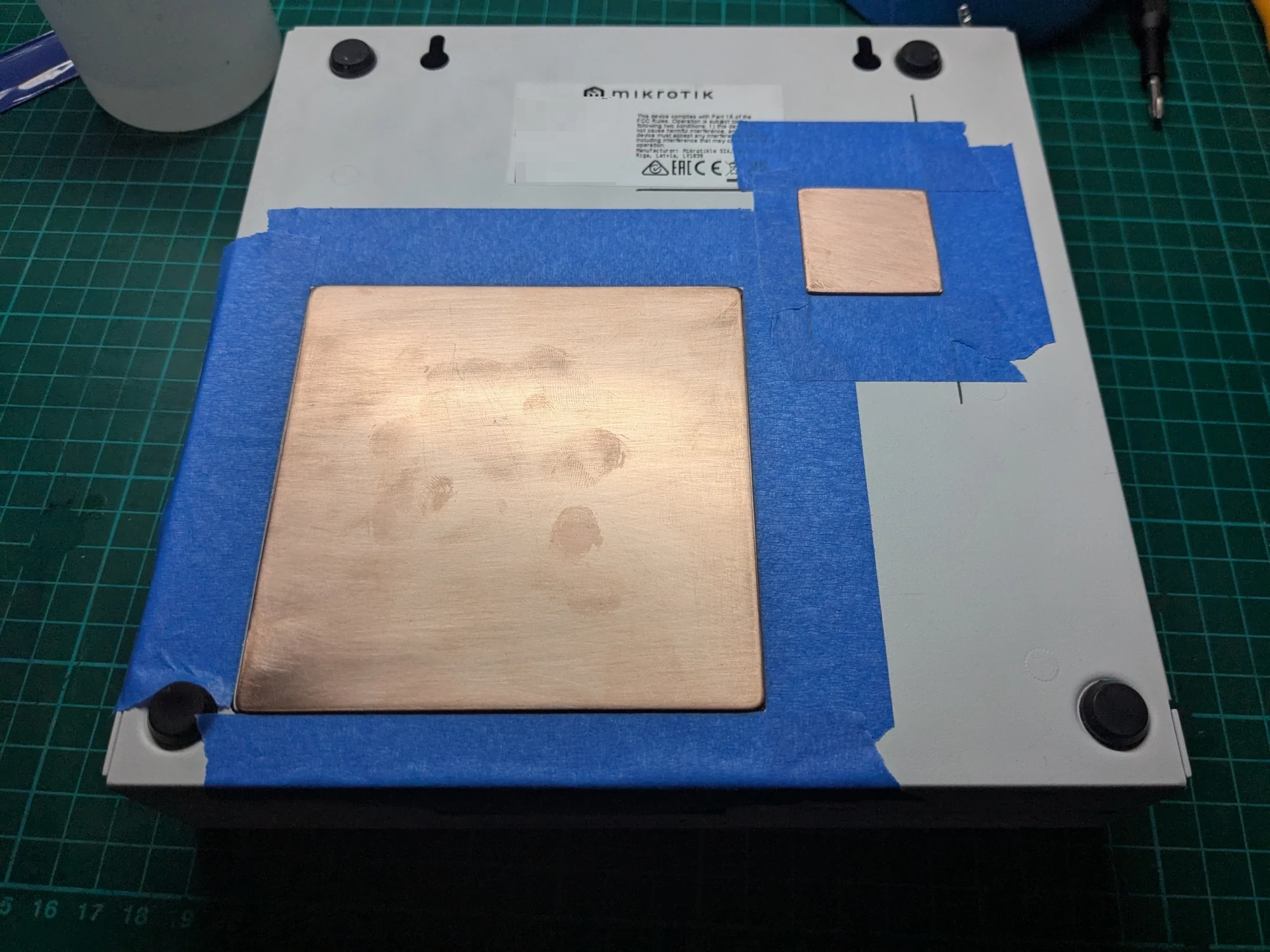
These changes made temperatures lower and stable. I can run it during summer heat waves without worrying that the heat will kill components early.
CRS309-1G-8S+IN
The next switch was something I have had my eyes on a long time. CRS309-1G-8S+IN seemed to tick all boxes for me. Energy efficient, fanless, small, 8 SFP+ ports. The Marvell 98DX8208 is a good chip. 2 cores at 800 MHz, 512 MB RAM, 16 MB flash storage is fine for a switch that's just moving packets. Just hope the small storage won't make it go EOL sooner.
Thermal Optimization
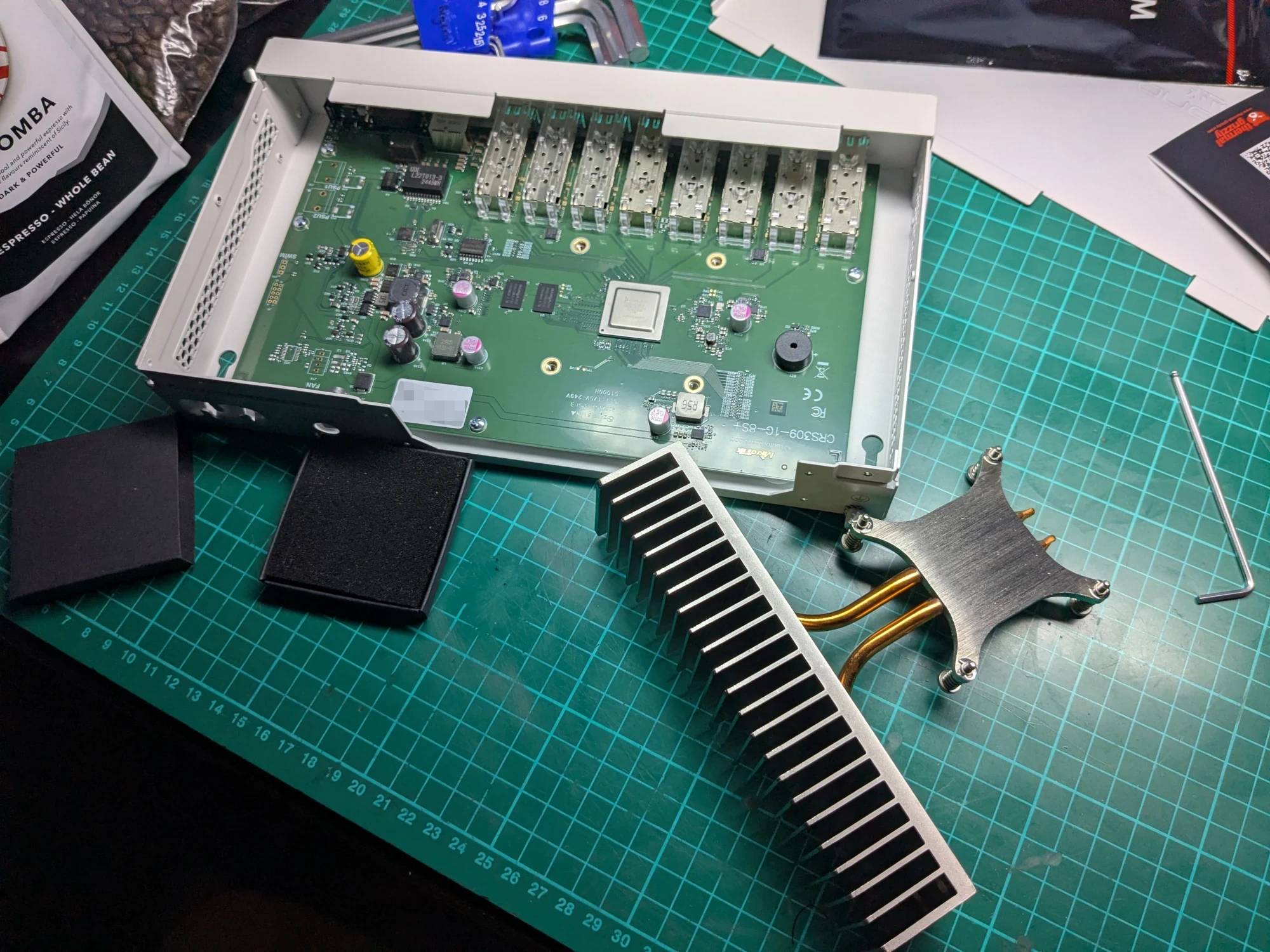
Before even turning the switch on I repasted with PTM. Later found out it was probably a bad choice since it runs so cool that the PTM is 15-20 degrees centigrade below its phase-change temperature. I will change it to Thermal Grizzly Kryosheet in the future to make the switch completely maintenance free.
Cabling
Changed all twisted pair Ethernet cables to DELTACO thin white Cat6a. No more questionable old cables. Between workstation and switch I got a 15m long Prokord Fiber Om4 LC-LC 50/125 Duplex MM. If it does not hold up over time there are armored versions available.
Made the choice to use only MikroTik DAC cables to keep any compatibility issues to a minimum. Will use DAC cables where ever possible to keep heat and power draw down. Too far between workstation and CRS309 to use DAC. Got a good bundle price when buying AOC-STGF-i2S for the workstation that included two Intel SFP+ modules.
Conclusion
I'm happy with the MikroTik switches. They do everything I expected and just work without any problems. RouterOS 7 has had some teething issues in the past but most of it seems to been solved in 7.20 and above. Both switches are on the "long term" channel/release. I'd rather have stability and less chance of breaking changes than new features I don't use.
Would I recommend them? Depends on your needs, networking proficiency and willingness to learn RouterOS. If you just need a dumb switch, no. If you just want basic managed switch you could change to the much easier SwitchOS and be happy. If you are a power user that want flexibility I would strongly recommend considering MikroTik and see if it fits your needs. When it comes to large complex networks and their needs I lack knowledge and experience to make any recommendations.